


3D Live Wallpaper: 4D & 4K
4.61.00 Reviews
App Specs
- Version
- 1.0.6
- Updated On
- License
- Free
- Downloads
- 50,000+
- Developer
- Themes Design Apps
- Categories
- Personalization
- Platform
- Android
Screenshots
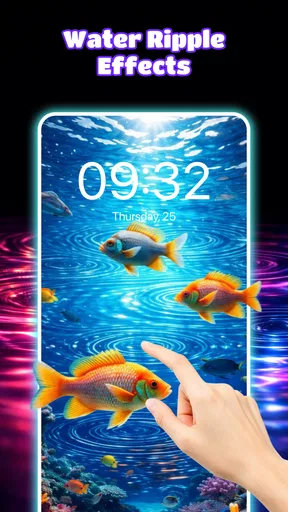
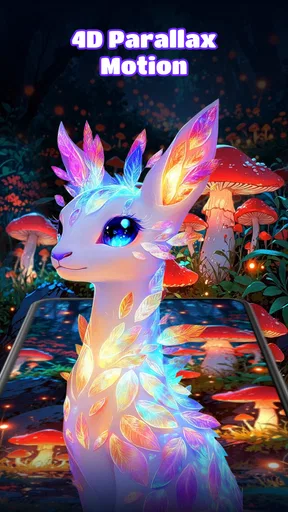
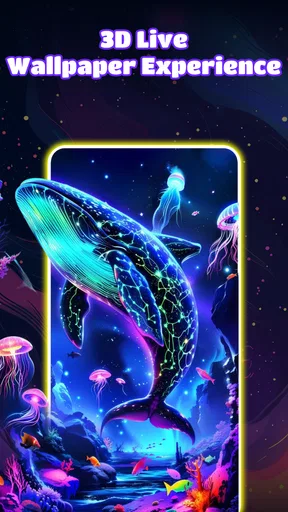
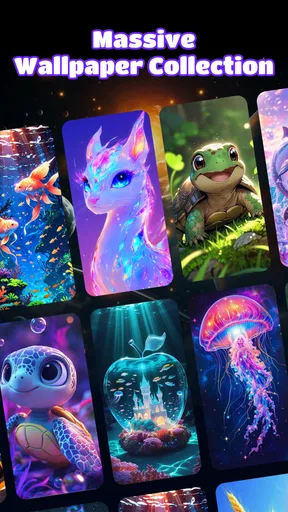
 Analysis by AppCompare
I judge a live-wallpaper app by more than its most dramatic preview. The useful questions are whether the depth effect looks good on my actual home screen, whether I can choose a scene that works behind my icons, and whether I still like it after the novelty wears off. 3D Live Wallpaper: 4D & 4K is aimed at people who want their phone background to feel more dimensional than a still image, but that visual style is not automatically right for every home screen.
This is a free personalization app from Themes Design Apps, with optional in-app purchases priced from $4.99 to $29.99 per item. It is rated for Everyone, has a 4.6 average from around 733 ratings, and has passed 50,000 installs. It was released on March 12, 2026, and version 1.0.6 requires Android 9 or later. Those details make it an accessible option for many Android users, though the purchase range is worth keeping in mind if you prefer a fully free experience.
Choose the effect that suits your screen
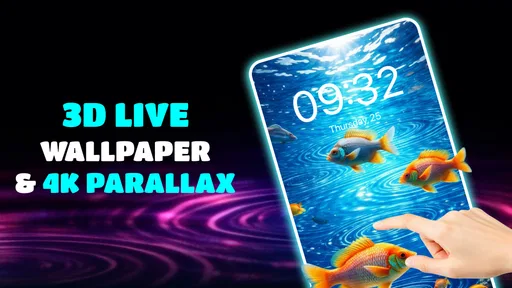
The key decision is whether you want motion and a sense of depth, or simply a background that stays visually quiet. The app’s parallax approach shifts the image in response to device movement, giving a scene more dimension than a conventional static wallpaper. I find that most appealing when the background has a clear subject and enough open space for app icons; a highly detailed image can look striking in preview but become busy once the full home screen is visible.
Before settling on a design, I’d check it in the context where I actually use my phone: with icons, widgets, and any text or shortcuts that normally sit over the image. A dramatic preview is only part of the decision. If the movement competes with the layout, choosing a calmer scene or a gentler effect is a more practical fix than abandoning the idea entirely.
Where the dimensional look earns its place
The app’s strongest case is for someone who regularly looks at their home screen and wants it to feel less static. A subtle parallax shift can make a familiar device feel more personal without requiring a new launcher or a major layout change. The backgrounds are presented as high-resolution artwork, and the depth effect gives that artwork a different character from the ordinary still images people often choose from their photo library.
It can also suit someone who enjoys matching a phone’s appearance to a mood or season. Rather than rebuilding the screen, you can change the background and keep the rest of your setup familiar. I’d treat this as a small, reversible refresh: preview a few looks, choose one that leaves icons legible, and keep the option of switching back if the movement starts to distract you.
When a simpler wallpaper is the better fit
Compared with static wallpaper apps or images already saved on a phone, a live wallpaper adds motion and depth but also adds another visual element to the screen. If you value a clean, quiet background, use a lot of widgets, or want an image that never shifts, a static picture is likely the better choice. It is also easier to pick a photo you already know works with your layout than to adapt your layout around a more elaborate scene.
Worth Reading Before You Choose

EA SPORTS FC Mobile 26 Is a Bigger Football Game, but It Takes Time

Flipboard Shows What News Apps Must Do Beyond the Feed

Switching to Android Auto Means Rethinking Your Driving Routine

Google Calendar Makes a Crowded Week Easier to Manage

Ludo King Makes the Most of the Minutes Between Plans

Baby Panda World Brings Quick Play to Modern Phones, but Its Game Library Feels Busy
There is a practical middle ground between a still image and a strong animated effect: use a restrained design and keep the movement subtle. That choice preserves some depth without making the screen feel restless. The right setting depends on your habits, too. Someone who checks the phone briefly may enjoy a more expressive effect; someone who spends a long time reading widgets or notifications may prefer less visual activity.
Make a fair test before committing
I would not decide from the preview alone. Try a wallpaper on the home screen, look at it with your usual icons and widgets, and then use the phone normally for a while. Notice whether the movement feels pleasing when you unlock the device repeatedly, or whether you stop noticing it—or find it distracting. This quick real-world check tells you more than browsing a long string of attractive thumbnails.
A useful trick is to judge the image at the size and position where it will actually appear, not only as a full-screen scene. High-resolution artwork can contain fine detail that looks impressive by itself but gets lost beneath icons. A composition with a clear focal point away from the busiest part of your layout is often easier to live with. If the app lets you adjust the parallax strength, starting gently is sensible; stronger movement is not always more immersive.
Think about the everyday trade-offs
Live effects can raise a reasonable battery question. In my experience, the original review found no significant drain or noticeable lag, but battery use can depend on the device and how it is used. I’d pay attention during an ordinary day rather than assume the result will be identical for everyone. If you notice a difference that matters to you, a static background is the straightforward alternative.
Another trade-off is attention. A moving background can make an otherwise familiar screen feel fresh, but it should not compete with the tasks the phone is meant to help you do. For example, if I am checking a calendar widget before leaving home, I want the date and event details to be easy to read. In that situation, I would choose an uncluttered scene and restrained movement—or switch to a still image if the animation makes the information harder to scan.
The purchase options are another reason to browse deliberately. The app is free to start, while individual in-app purchases range from $4.99 to $29.99. I would explore the free experience and make sure the style suits my phone before paying for anything. That is especially important if I tend to change wallpapers often: a paid item has less value if I quickly move on to a different look.
Immersive Visuals Like Never Before
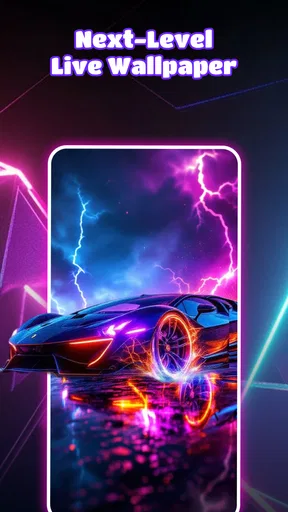
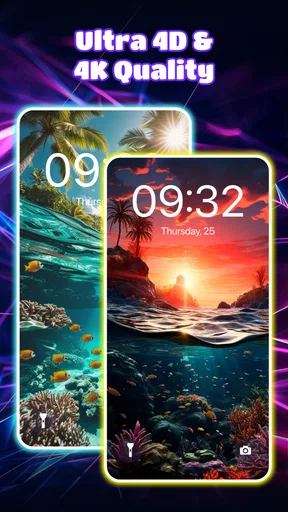
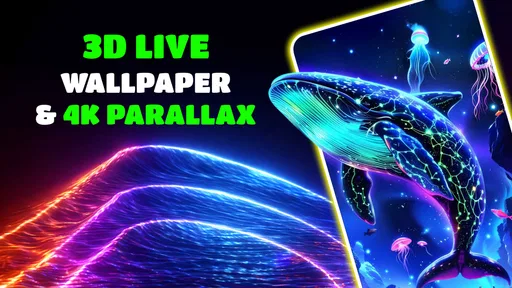
First things first, the visuals on 3D Live Wallpaper: 4D & 4K are truly something else. We’re talking about stunning, high-definition wallpapers that literally pop out of your screen. The app boasts an impressive collection of 4D and 4K backgrounds that leverage parallax effects to create depth and motion, making it feel like you could reach into your screen.
The variety available is just as impressive. Whether you’re into nature, technology, abstract art, or even something a little spooky, the app has something to tickle your fancy. I found myself switching backgrounds almost daily, just to enjoy the different aesthetics each one offers. Plus, the app is constantly updated with new wallpapers, so you’re never short of fresh options.
Easy to Use Interface
Another thing I appreciated about this app is its user-friendly interface. Even if you’re not the most tech-savvy person, you’ll find it a breeze to navigate. The categories are clearly laid out, making it easy to find exactly what you’re looking for. Simply tap on a wallpaper, and you can preview it on your home screen before making a commitment. The entire process is seamless and straightforward.
And let’s not forget the customization options. You can tweak the settings to adjust the parallax effect to your liking, ensuring the wallpaper suits your style perfectly. Whether you want a subtle shift or something more pronounced, the choice is yours.
Performance and Battery Life
Now, I know what you’re thinking. "Aren’t live wallpapers notorious battery drainers?" Surprisingly, 3D Live Wallpaper: 4D & 4K manages to balance performance with battery efficiency. The app is optimized to minimize battery usage without compromising on performance or visual quality. I didn’t notice any significant battery drain during my time using it, which is a huge plus in my book.
Additionally, the app runs smoothly without any noticeable lags or crashes. It’s clear that the developers have put a lot of effort into ensuring a stable experience, which makes it even more enjoyable to use.
Personalizing Your Device
One of the highlights of using this app is the level of personalization it offers. We all love to express ourselves, and what better way to do that than through your phone’s wallpaper? This live-background app allows you to showcase your personality and mood right on your home screen.
The ability to switch up the look of your phone with such ease is incredibly satisfying. Whether you want to keep things fresh or match your screen to your current vibe, this app gives you the flexibility to do so. It’s like having a little piece of art in your pocket.
Who I’d recommend it to
I’d point this app toward Android users who enjoy visual customization and want a background with more presence than a standard still image. It is particularly appealing if you like browsing different artistic styles and are willing to spend a moment checking how each one sits behind your own icons. The Everyone content rating also makes its intended audience broad, though the choice of image remains a matter of taste.
I’d be less likely to recommend it to someone who wants the lowest-distraction home screen, dislikes motion, or is focused on avoiding optional purchases. A plain photo or a minimalist static background is a better match for those priorities. Likewise, if you are using an Android version older than 9, this app is not the right fit for that device.
Switching without rebuilding your phone
Trying a live wallpaper does not need to mean changing everything else about your phone. I’d keep the existing icon arrangement and widgets, preview a scene, and decide whether the added depth improves the screen or makes it harder to use. That makes the switch easy to judge and easy to reverse. If you later return to a static image, the useful lesson is simply which colors and compositions make your icons easiest to find.
For a daily routine, imagine unlocking your phone while waiting for a bus or checking the time before heading into a meeting. A wallpaper that looks lively during a quick glance can be enjoyable, but a busy scene may be unwelcome when you are trying to find an app quickly. I would choose a background that looks good in both moments, rather than one that only impresses during the first preview.
Readers often wonder whether the depth effect is something they can tune to personal taste. The app’s customization options include adjusting the parallax effect, so I’d test the subtle end first and increase it only if the result still feels too static. Another natural question is whether the app costs money to try: it is free, with optional purchases, so you can assess the experience before deciding whether any paid item is worthwhile. The Android requirement is also clear: the current version needs Android 9 or later.
Final Thoughts
In a world where we’re constantly glued to our screens, 3D Live Wallpaper: 4D & 4K offers a refreshing change from the mundane. With its stunning visuals, easy-to-use interface, and minimal impact on battery life, it’s a fantastic addition to any smartphone. Whether you’re looking to impress your friends or simply want to enjoy a more dynamic phone experience, this app has got you covered.
So why not give it a try? Dive into the world of 3D and 4D wallpapers, and transform your phone into a canvas of ever-changing beauty. Trust me, once you start, you won’t want to go back to a static background ever again.
My recommendation
My recommendation is to try it if you genuinely enjoy animated, dimensional backgrounds and want an easy way to change the feel of your Android home screen. The 4.6 average and more than 50,000 installs suggest that plenty of people have given it a look, but your own screen layout is the better test of whether it suits you. I’d begin with a free option, preview it alongside the icons and widgets I use every day, and keep the effect mild until I know it works for me.
If the movement adds character without getting in the way, it is a fun personalization choice. If I find myself noticing the animation more than the information on my screen, I would switch to a static alternative instead. That is the honest dividing line: this app is most rewarding when the depth effect complements the phone, not when it becomes the main thing I see.
Pros
- Stunning 3D effects enhance your home screen.
- Wide variety of wallpapers in 4K resolution.
- Interactive features respond to phone movement.
- Easy to navigate and user-friendly interface.
- Low battery consumption despite high graphics.
Cons
- Some wallpapers require in-app purchases.
- Occasional ads can interrupt the experience.
- Limited customization options for free users.
- Not all devices support 4D effects.
- Requires a stable internet connection for updates.
FAQs for 3D Live Wallpaper: 4D & 4K
What is 3D Live Wallpaper: 4D & 4K, and how does it enhance my device's display?
3D Live Wallpaper: 4D & 4K is an app that offers a dynamic collection of high-definition wallpapers, featuring 3D and 4D animations. It transforms your device's screen with visually stunning effects that react to touch and motion, providing a more immersive and personalized experience compared to static images.
Does 3D Live Wallpaper: 4D & 4K significantly impact battery life?
While 3D Live Wallpaper: 4D & 4K offers visually appealing animations, it is optimized to minimize battery usage. However, as with any live wallpaper, slight battery consumption can occur due to continuous graphic rendering. It's advisable to monitor usage to ensure it aligns with your device's battery capacity.
Is the app compatible with all Android and iOS devices?
3D Live Wallpaper: 4D & 4K is designed to be compatible with a wide range of Android and iOS devices. However, for the best performance, it's recommended to use it on devices that support high-resolution displays and have adequate processing power to handle advanced animations smoothly.
Are there customization options available within 3D Live Wallpaper: 4D & 4K?
Yes, the app offers extensive customization options, allowing users to adjust animation speed, choose from various themes, and personalize the visual effects to match their preferences. This level of customization helps users create a unique look for their device, enhancing the overall user experience.
Is 3D Live Wallpaper: 4D & 4K a free app, and does it include in-app purchases?
3D Live Wallpaper: 4D & 4K is available as a free download, offering a selection of wallpapers at no cost. However, it includes in-app purchases that provide access to premium content and additional features. Users can choose to purchase these to enhance their app experience.


